

Article summary
A complete guide to evaluating customer feedback tools — from features and pricing to integrations and scalability. Learn what to look for before you commit.
Table of contents
This guide explains choose the right customer feedback tool with practical steps, tradeoffs, and examples. The practical goal is to preserve customer context, combine duplicate signals, and move the strongest evidence into a decision your team can explain.
Why You Need a Dedicated Customer Feedback Tool
If you're still tracking feedback in spreadsheets, Slack threads, or scattered support tickets, you've likely experienced the pain:
- Lost feedback — important requests buried in email threads
- No prioritization — the loudest voice wins, not the most impactful request
- No accountability — users never hear back about what happened to their suggestion
- Duplicated effort — the same request comes in from 10 different channels and nobody connects the dots
A dedicated customer feedback tool solves all of these problems by centralizing collection, enabling user voting, and connecting feedback directly to your product roadmap.
For a deeper look at the software landscape, check out our Customer Feedback Software Ultimate Guide.
The 7 Key Criteria for Evaluating a Customer Feedback Tool
1. Multi-Channel Collection
The best feedback tools collect input from wherever your users already are — not just a single form.
Look for support across:
- In-app widgets — capture feedback right inside your product
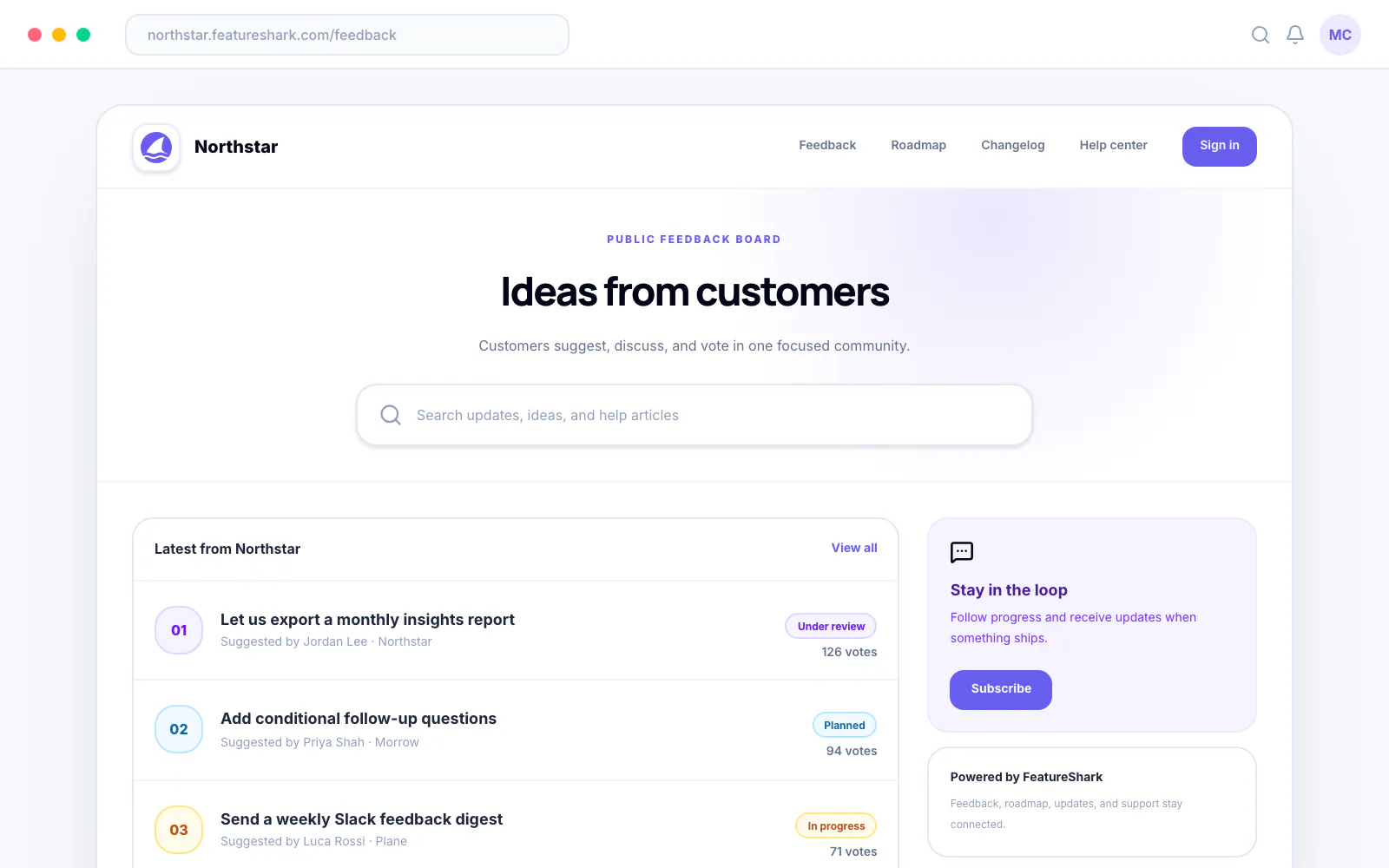
- Public feedback boards — let users browse and vote on existing requests
- Email integration — forward support emails directly into the feedback system
- Slack / Teams — capture insights from internal conversations
- API access — push feedback from custom sources
FeatureShark supports all five channels out of the box, with a feedback collection widget that embeds in minutes.
2. Voting and Prioritization
User voting is the single most important differentiator between a feedback tool and a survey platform.
When users can upvote ideas they care about, you get a signal — not just noise. The best tools also offer prioritization frameworks (RICE, weighted scoring, impact vs. effort) so your team can layer business context on top of raw votes.
3. Public Roadmap Integration
Collecting feedback without closing the loop is a recipe for user frustration. Look for tools that let you publish a public roadmap showing what's planned, in progress, and shipped.
This tells your users: "We heard you, and here's what we're doing about it."
4. Integrations with Your Existing Stack
A feedback tool that lives in isolation creates more work, not less. Evaluate how well a tool integrates with:
- Project management — Jira, Linear, Asana, Trello
- Communication — Slack, Microsoft Teams
- CRM — Salesforce, HubSpot
- Support — Intercom, Zendesk
Check out our integrations page to see what FeatureShark connects with.
5. Analytics and Reporting
You need more than a list of requests. The best customer feedback tools offer:
- Trend analysis — what themes are growing over time?
- Segment filtering — what do enterprise customers want vs. free users?
- Export capabilities — CSV, API, or direct sync to your BI tools
6. Customization and Branding
Your feedback board should feel like part of your product, not a third-party tool. Look for:
- Custom domains (e.g.,
feedback.yourcompany.com) - Brand colors and logo support
- Customizable status labels (Planned, In Progress, Shipped, etc.)
- Embeddable widgets that match your app's design system
7. Pricing That Scales
Some tools charge per user, others per tracked customer, and some use flat tiers. Make sure you understand the pricing model before you commit.
Key questions:
- Is there a free plan for getting started?
- Are there limits on the number of feedback items?
- Do you pay per team member or per end-user?
- What happens if you outgrow your current plan?
FeatureShark offers a free plan with unlimited feedback items and a public voting board. See all plans.
Red Flags to Watch Out For
Not every feedback tool is worth your time. Watch out for:
- No voting or prioritization — if users can't vote, it's a survey tool, not a feedback tool
- No public roadmap — without a feedback loop, users disengage
- Vendor lock-in — can you export your data if you switch?
- Complex setup — if it takes more than 30 minutes to embed, it's too complex
- Hidden costs — watch for per-seat pricing that explodes as your team grows
How to Run a Quick Evaluation
Here's a 5-step process to evaluate any customer feedback tool in under a week:
- Sign up for a free trial — test the actual UI, not just demos
- Embed the widget in a staging environment — how long does setup take?
- Submit 10 test feedback items — does the organization flow work?
- Invite 2-3 teammates — is the collaboration intuitive?
- Check the roadmap view — does it close the loop for end users?
Our Recommendation
If you're a product team looking for a customer feedback tool that combines collection, voting, prioritization, and roadmaps — without breaking the bank — FeatureShark is the best place to start.
You get:
- A free plan with no credit card required
- In-app widgets, public boards, and email collection
- Vote-based prioritization with RICE scoring
- A beautiful public roadmap
- Integrations with Slack, Jira, Linear, and more
For a comparison of all the top tools, read our guide on the Best Customer Feedback Tools for SaaS Companies.
Related Reading
- Customer Feedback Tool — Solutions Overview
- Customer Feedback Software: The Ultimate Guide
- Best Customer Feedback Tools for SaaS Companies
- Feedback Collection & Prioritization
Related Guides
- Customer Feedback Tool vs Spreadsheets: Why You Need to Switch in 2026
- FeatureShark vs Featurebase: Per-Seat Pricing vs Flat Rate — Which Feedback Platform Wins in 2026?
- FeatureShark vs UserVoice: Enterprise Pricing vs Startup-Friendly Feedback in 2026
- FeatureShark vs Productboard: Why Pay Enterprise Prices for Feedback Management in 2026?
Sources and Further Reading
About this article
Written by FeatureShark Team
FeatureShark publishes practical product-management guidance based on the workflows we build for feedback, roadmaps, changelogs, support, surveys, and AI-assisted product operations. We update articles when the underlying guidance changes.
Put the workflow into practice.
Use FeatureShark to connect customer feedback, roadmap evidence, release communication, support, and surveys in one lifecycle.
Start free